Brief creators in one link.
Save the TikToks, Reels and Shorts that work, write why and how to make it yours, and send creators one link. They open it free, right from their inbox, and your team has no seat fees.
inspo is a swipe file for short-form video: save TikToks, Instagram Reels and YouTube Shorts into lists by format, add notes on why each one works and how to make it yours, and share one link with your team or creators.
Get started Invite-only for now. Creator? inspo for creators.
How it works
- Collect what works. Paste any TikTok, Reel or Short. The video, cover and caption come with it. On Creator and up, import a whole TikTok collection too.
- Sort by format. One list per format, so creators always know the shape of the video you want.
- Send creators one link (Pro). Creators open it free, right from their inbox. Invite your team too, no seat fees.
Show creators what great looks like.
Every example carries why it works, how to make it yours, do's & don'ts and the script. Creators stop guessing and start shooting.
See exactly what they see (Pro).
Paste a list of emails and everyone gets their own link. Preview the brief as a creator before you send it.
Deleted on TikTok. Still in your swipe file.
On Creator, Pro and Studio, we keep a copy of every TikTok, Instagram and Facebook video you save. It loads instantly for your team and keeps playing, even if the creator deletes it. YouTube Shorts play from YouTube.
A workspace for every client (Studio).
Copy a proven setup to each new client in a tap, and put your own name and logo on every brief you share, not ours.
Never start from a blank page.
Every list comes with starter examples for its format, ready to make your own.
 Talking headOne person talking straight to the camera, like a FaceTime with a friend.
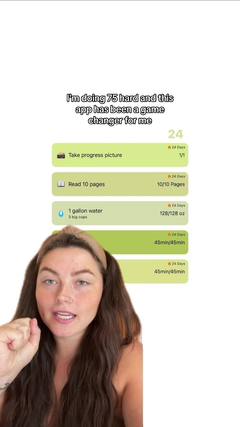 Face to demoStarts on a face with a hook, then cuts to the product in action.
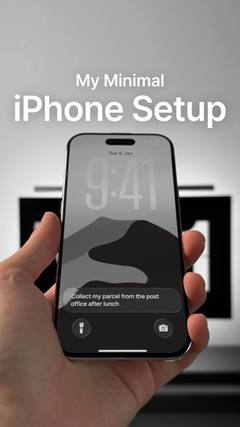 Faceless videoNo one on camera: hands, point-of-view shots or b-roll, with text or a voiceover.
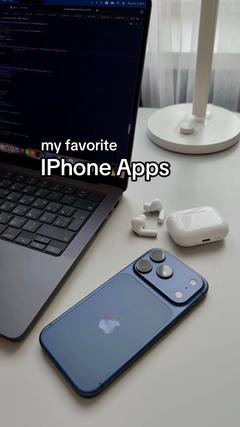 SlideshowsA swipeable set of photos with text on each slide.ListiclesA countdown or list of picks, with your product as one of them.VoiceoverA voice telling a story over footage, without talking to camera.
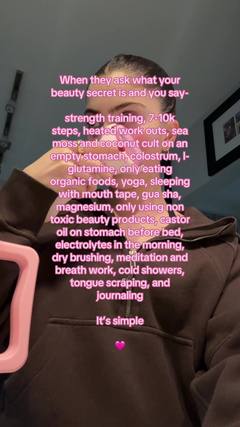 TextwallA block of text over a simple background, read while a sound plays.
 Green screenThe creator talks in front of a screenshot, article, post or website.
 SkitsA short acted scene, often one creator playing several characters.
Free until you share
Your swipe file is free and unlimited. Pay when you want to share it: Pro for one brand, Studio for several. See pricing.
- Free: $0. Your swipe file.
- Creator: from $7/mo. Keep every video, share every list.
- Pro: from $29/mo. Brief creators for one brand.
- Studio: from $79/mo. For several brands or clients.
Questions
About inspo
What is inspo?
inspo is a swipe file for short-form video: save TikToks, Instagram Reels and YouTube Shorts into lists by format, add notes on why each one works and how to make it yours, and share one link with your team or creators. It works for anyone who makes short-form video or tells someone else what to make: creators, creative strategists, brands and agencies.
What problem does inspo solve?
Short-form ideas end up scattered: TikTok favorites, Instagram saves, screenshots, the Notes app, Slack threads and DMs. None of those let you keep videos from every platform in one place, write down why each one works, and share it with someone else. inspo is built for exactly that: save the video, add your notes, sort it by format, and share it in one link.
Who is inspo for?
inspo is for anyone who needs to remember what good short-form video looks like. Creators use it to organize their own content ideas. Creative strategists use it to build swipe files and briefs. Brands and app marketers use it to brief UGC creators. Agencies use a separate workspace for each client.
How is inspo different from TikTok and Instagram collections?
TikTok and Instagram collections are private, stuck inside one app each, and have no room for notes. inspo keeps TikToks, Reels and Shorts together, lets you write why each one works and how to make it yours, and lets you share a list with anyone in one link.
How is inspo different from Notion, Google Docs or a spreadsheet?
A doc or spreadsheet can hold notes, but the videos become a wall of links nobody opens. In inspo, every video plays right next to your notes, sorted by format, so you and your creators can watch and read in the same place without clicking out.
How is inspo different from mood boards like Pinterest or Milanote?
Mood boards are made for images and a general look. inspo is made for short-form video: each saved video plays in place and carries notes on why it works, how to adapt it, and do's and don'ts, so it's ready to turn into a video, not just a vibe.
How is inspo different from ad libraries and ad spy tools?
Ad libraries and ad spy tools are built to research paid ads. inspo is for the organic and UGC videos you want to make next: you save any TikTok, Reel or Short, add your own notes, and share it with your team or creators as a brief.
For creators
Can I use inspo just to organize my own content ideas?
Yes. inspo works for one person as well as for teams. Save videos you want to recreate, sort them by format, and write the hook and your own angle next to each one. When it's time to film, open a format and your best ideas are waiting.
What's the best way to save TikToks for content ideas?
Save the link somewhere you can add a note, sorted by the kind of video, not just in TikTok favorites. In inspo, paste the TikTok link, pick a list (like Talking head or Slideshows) and write why you saved it. Instagram Reels and YouTube Shorts go in the same place.
Can I save videos from my phone?
Yes. inspo runs in your phone's browser. Add it to your home screen, copy a link in TikTok, Instagram or YouTube, and paste it into Save. On Android you can share straight from TikTok to inspo.
Can I keep a list of hooks?
Yes. Each saved video can hold its hook, so your lists double as a hook bank sorted by format. Fill-in-the-blank hooks for every format are on inspo's formats pages.
For creative strategists and agencies
How do creative strategists use inspo?
Creative strategists use inspo as their swipe file: they save winning videos from any niche, tag each with the format and why it works, and turn the best into briefs. Because lists are sorted by format, it's easy to see which formats you've tested and which to try next.
Can I manage several clients or brands in inspo?
Yes. Each client or brand gets its own workspace with its own lists, logo, team and share link, so ideas and briefs never get mixed up. You can copy a great example from one workspace into another in a tap.
Can I use inspo to brief UGC creators?
Yes, that's what inspo is best at. Put 3 to 5 example videos in a list, add what to copy and what to avoid, and send creators one link. There's a free UGC brief template if you want words to go with it.
For brands and app marketers
How do brands use inspo to brief UGC creators?
Brands keep one list per video format with example videos and notes: why it works, how to make it theirs, and do's and don'ts. Creators get one link with everything, so they stop guessing and shoot what the brand actually wants. It replaces long brief docs and scattered links.
Do my creators need an account?
No sign-up and nothing to pay. Creators you invite open the brief free, right from their inbox. Set it to Anyone with the link and no login is needed at all. Either way they watch every example and read your notes without downloading anything.
Can my team work in inspo together?
Yes. Invite teammates by email and they can add videos, write notes and organize lists with you. Each list stays Private (only your team) until you make it Public.
Can I share a list with just one creator?
Yes. Choose who sees your lists once (anyone with the link, or invite only), and for a single list you can invite one person by email or make a public link just for that list.
Saving videos
What can I save in inspo?
TikTok videos and profiles, Instagram Reels and posts, YouTube Shorts and Facebook reels. Paste a link, or paste several at once, one per line. The video, cover and caption come with it, and saved creator profiles show up as a row of faces so you can find them later.
What happens if a video I saved gets deleted?
On Creator, Pro and Studio, inspo keeps its own copy of every TikTok, Instagram and Facebook video you save (up to 300 a month on Creator, 1,000 on Pro, 3,000 on Studio), so it loads instantly and keeps playing even if the creator deletes it. YouTube Shorts can't be kept and always play from YouTube. Only you, your team and people you invite see that copy; public links play the platform's own player, which keeps creators credited. On Free, videos play from the platform, so a deleted video stops playing, but your notes stay.
Can I import my TikTok collections?
Yes. On Creator, Pro and Studio, open a list, tap Import › TikTok collection and paste the collection's link: every video in it lands in the list, and ones you already have are skipped. The collection needs to be public. Instagram keeps saved collections private, so paste those links instead, several at once if you like.
Do I need to install an app or a browser extension?
No. inspo runs in any browser on desktop and phone, and you can add it to your home screen like an app.
Price and privacy
Is inspo free?
inspo is free as a private swipe file: unlimited lists and saves with your notes, and starter ideas for every format. You can also share one list by link and build one brand workspace for free. Creator ($9 a month) keeps every video and shares all your lists; briefing creators and your team from a brand workspace is part of Pro. See pricing.
How much does inspo cost?
Your own swipe file is free, with no limit on lists. Creator is $9 a month ($7 a month paid yearly): every video you save stays playable even if it's deleted, and you can share all your lists. Pro is $39 a month ($29 a month paid yearly) for one brand: send creators one link, and invite your team. Studio is $99 a month ($79 paid yearly) for agencies and freelancers, with a workspace for every client and your own name on what you share. Teammates and the creators you share with never pay.
How do I get into inspo?
Sign-up is invite-only for now. Join the waitlist with your email and we let people in a few at a time. You get in straight away if someone already on inspo shares a workspace or list with your email.
Who can see what I save?
Only you and your team, until you make a list Public and share it. Your workspaces and shared lists never show up in Google.
Can I export or delete my data?
Yes. Account settings has Download my data (one file with everything) and Delete account. inspo doesn't sell data, run ads or use third-party tracking.