Short-form video formats that work
Most short-form videos that sell are one of a handful of formats. Pick the format first, then the hook, then the words. Here are the nine we see work again and again for brands, apps and UGC creators.
Updated September 29, 2026
The formats
 Talking headOne person talking straight to the camera, like a FaceTime with a friend.
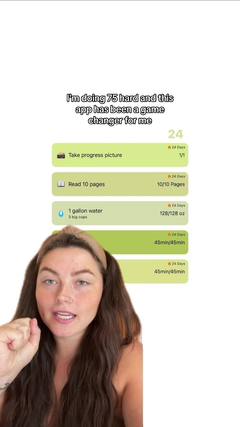 Face to demoStarts on a face with a hook, then cuts to the product in action.
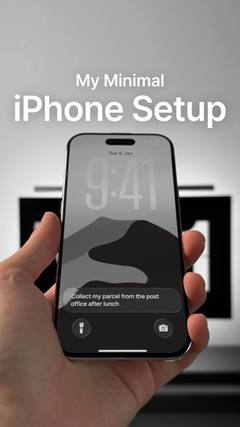 Faceless videoNo one on camera: hands, point-of-view shots or b-roll, with text or a voiceover.
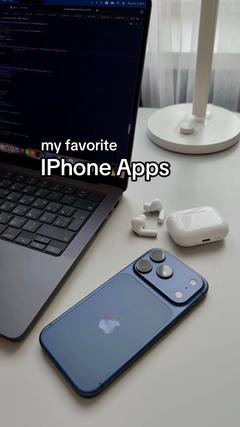 SlideshowsA swipeable set of photos with text on each slide.ListiclesA countdown or list of picks, with your product as one of them.VoiceoverA voice telling a story over footage, without talking to camera.
 TextwallA block of text over a simple background, read while a sound plays.
 Green screenThe creator talks in front of a screenshot, article, post or website.
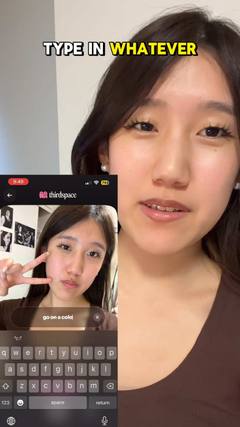 SkitsA short acted scene, often one creator playing several characters.
How to pick a format
- Easy to show? Face to demo or faceless. Let the product prove itself.
- Needs trust? Talking head or green screen. A face and a reason to believe.
- Want reach fast? Slideshows and textwalls are quick to make and test in bulk.
- Have a personality? Skits and storytime voiceovers get shared.
- Being compared? A listicle puts you next to the alternatives, on your terms.
Test formats, not just ads
When a video works, the format usually matters more than the exact words. Keep one list per format with a few proven examples, brief several creators on the same format, and you'll learn which shapes work for your product. That's what a UGC swipe file is for.
Questions
What is the most common UGC video format?
Talking head: one person talking to the camera. It's the cheapest to shoot, builds trust fast and is the base of most UGC ads.
What's the difference between a format and a hook?
The format is the shape of the video (talking head, slideshow, face to demo). The hook is the first line or frame that stops the scroll. Any format can use many hooks.
Which formats work without showing a face?
Faceless video, slideshows, textwalls and voiceovers all work without anyone on camera.